
What is PDF Snake?
PDF Snake is prepress software for performing document imposition.
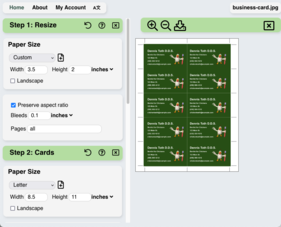
PDF Snake can:
- make booklets,
- impose (also called Nup or N-up) pages in a variety of configurations,
- resize pages,
- re-order pages,
- add pages from one document to another,
- and much more!
Tutorials provide gentle introductions to imposition and PDF Snake.
News
2025 May 1
Users have imposed 895,382
documents with PDFSnake.app!
2025 June 3
Announcing a new way to
automate PDF Snake with Zapier.


2025 April 29
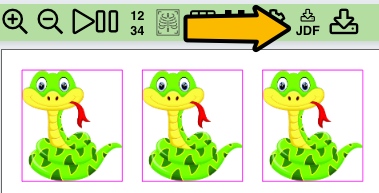
Does your digital cutter support JDF?
PDF Snake now generates JDF files with precise CutBlock data for every imposition,
so you can streamline your workflow and eliminate manual steps.
Just download the JDF and send it to your cutter.
2025 April 24
Insert
Pages tool can now repeatedly insert pages. This makes it easy
to add a common back side to a document of variable data front sides.
2025 February 24
The Stickers
tool can now impose on continuous roll media
in addition to sheet media.
2024 November 1
Announcing two new ways to automate PDF Snake:
2024 August 22
New Insert
Pages tool in version 6.214. The new tool combines pages from
multiple documents.
2024 July 20
New Calendar
tool in version 6.208. Creating a calendar with PDF Snake
used to be a complicated, multi-step process. Now it's a simple tool.
2024 March 1
New Stickers tool
in Version 6.180. The Stickers tool tightly packs odd
shapes onto each sheet to minimize waste.
What version of Acrobat do I need?
None. Adobe Acrobat is no longer required as of PDF Snake version 6.
Are there any limitations?
PDF Snake cannot impose documents that are encrypted. Adobe Acrobat allows the creator of a PDF document to specify the exact permissions for that document. If modification is not allowed, then PDF Snake can't impose it.
PDF Snake cannot impose files that are larger than 1 GB. If you see memory errors with large files, try using the Firefox browser. It can handle larger files than Chrome, Edge, or Safari.
Next