PDF Snake Features
PDF Snake comes packed with one-step features. You'll find a separate page on Bates numbering here.
One-Step Impose
One-Step Impose is PDF Snake's main imposition tool. It lets you quickly specify an imposition layout, in one straight-forward dialog.
The detailed help system is only one click away via the help button.
Notice the Remember these settings as box. This is the key to one-step imposition. Set all the parameters once, give them a name, and instantly recall them anytime in the future. One-step, no hassle, time saved.
[Sample Input Doc] [Sample Output Doc]
One-Step Booklet
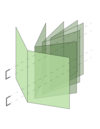
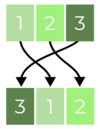
One-Step Booklet takes any document, re-orders the pages, and performs imposition so the resulting document can be printed and stapled down the middle to make a booklet.
It can also handle book binding and page creep.
Notice the Remember these settings as box. This is the key to one-step imposition. Set all the parameters once, give them a name, and instantly recall them anytime in the future. One-step, no hassle, time saved.
[Sample Input Doc] [Sample Output Doc]
One-Step Watermark
A watermark is a faint background image that appears under the content of a document. PDF Snake's One-Step Watermark feature will let you use any other page as a watermark, and slide it under the contents of the document. It handles scaling and rotation for you, so that watermarking is one easy step.
[Sample Input Doc] [Sample Output Doc]
One-Step Stamp
PDF Snake's One-Step Stamp feature stamps the selected page range in the current document with the first page from any other document. It performs any necessary scaling too.
What's the difference between PDF Snake's stamp
tool and Acrobat's stamp tool?
- PDF Snake's stamp tool is designed to stamp many, or all of the pages in the document at once, or even many documents at once. This process would be tedious with Acrobat's stamp tool.
- PDF Snake makes the stamp a permanent part of the document. Acrobat's stamps are actually comments, which means they can be removed, or optionally not printed.
- PDF Snake's stamp tool can add semi-transparent stamps, so that the stamps do not completely obscure what is underneath. Acrobat's stamp tool cannot do this.
- Finally, PDF Snake's stamp tool is designed to be used in different situations, for example adding company letterhead or a watermark to all the pages in a document. Acrobat's stamp tool just isn't up to the task.
[Sample Input Doc] [Sample Output Doc]
Batch Process
PDF Snake's Batch Process tool allows you to run any of PDF Snake's other tools on multiple documents at once.
Next
Click here to download the free trial or
click here to return to the PDF Snake home page.